BEFORE STARTING, HERE ARE THE NAMES OF THE MAIN PARTS OF THE ADAPTER
There are 3:
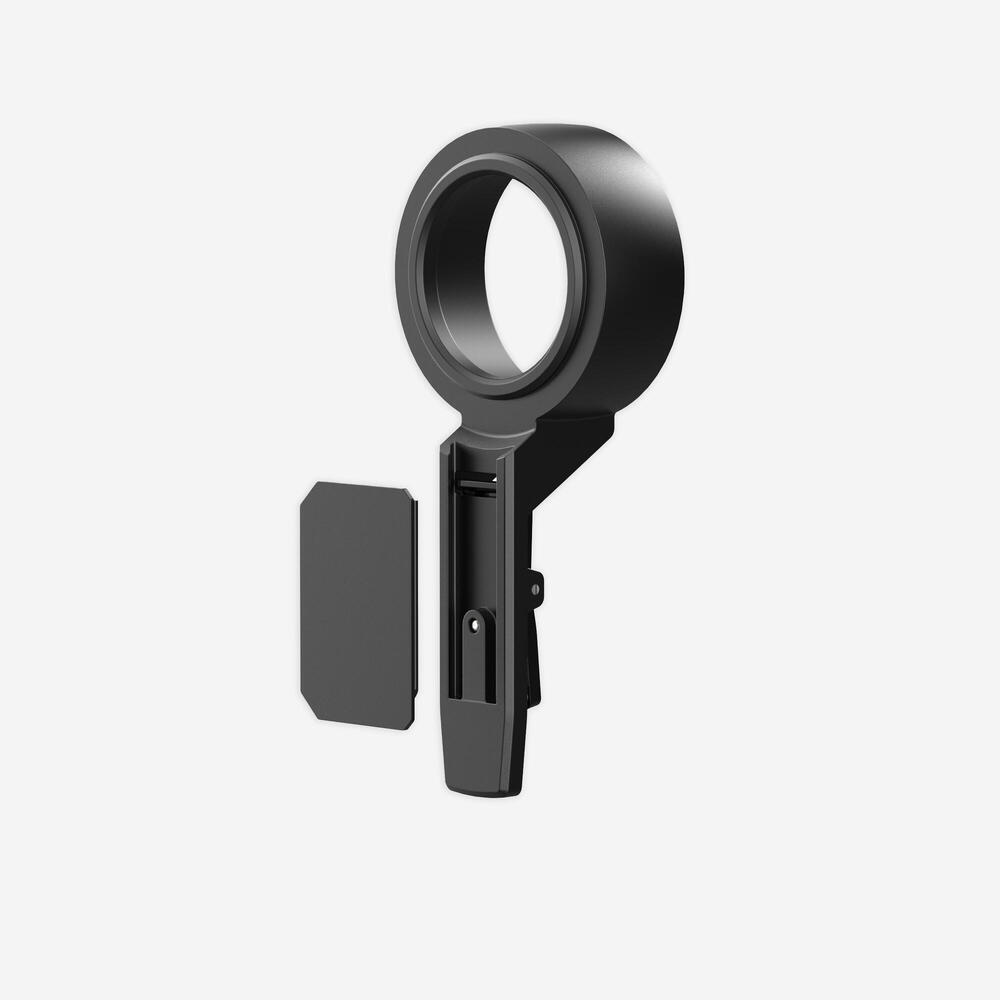
REF: 8648792
2025
Do you have the telephone adapter for Solognac binoculars? Check out our tips on use and our after-sales solutions for repairing, maintaining and extending the lifespan of your product.
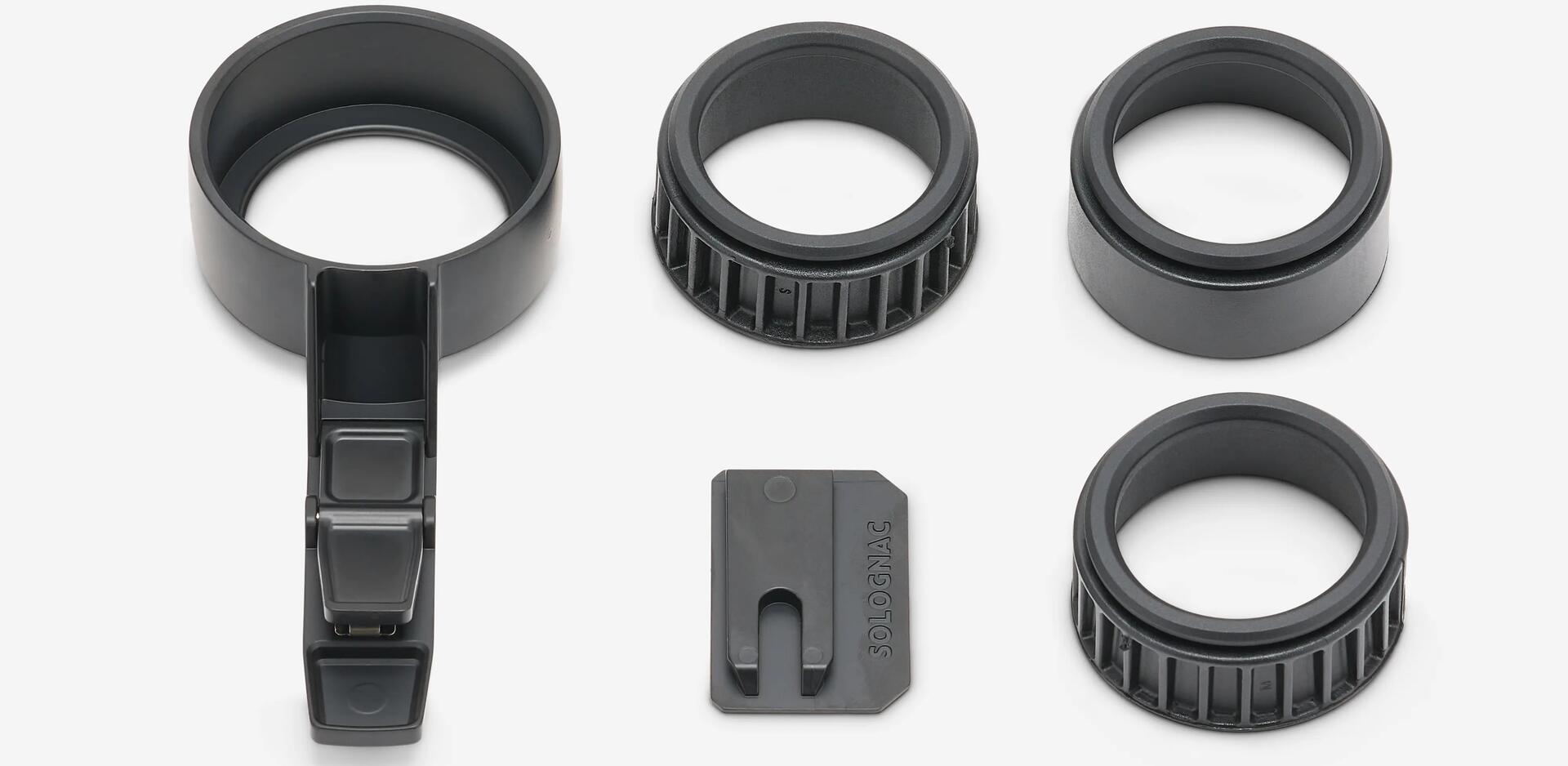
There are 3:
On the back of the cardboard box containing the adapter and its accessories, there is a template. You can cut out this template using a pair of scissors. This template is important, because it will help you position the plate correctly on the back of your phone.
Please note: if, despite this warning, you no longer have the template, you can find it below (please make sure you print it to scale); then cut out the circle and the dotted rectangle). You can also contact us at [email protected], so that we can send you a PDF version of the template.
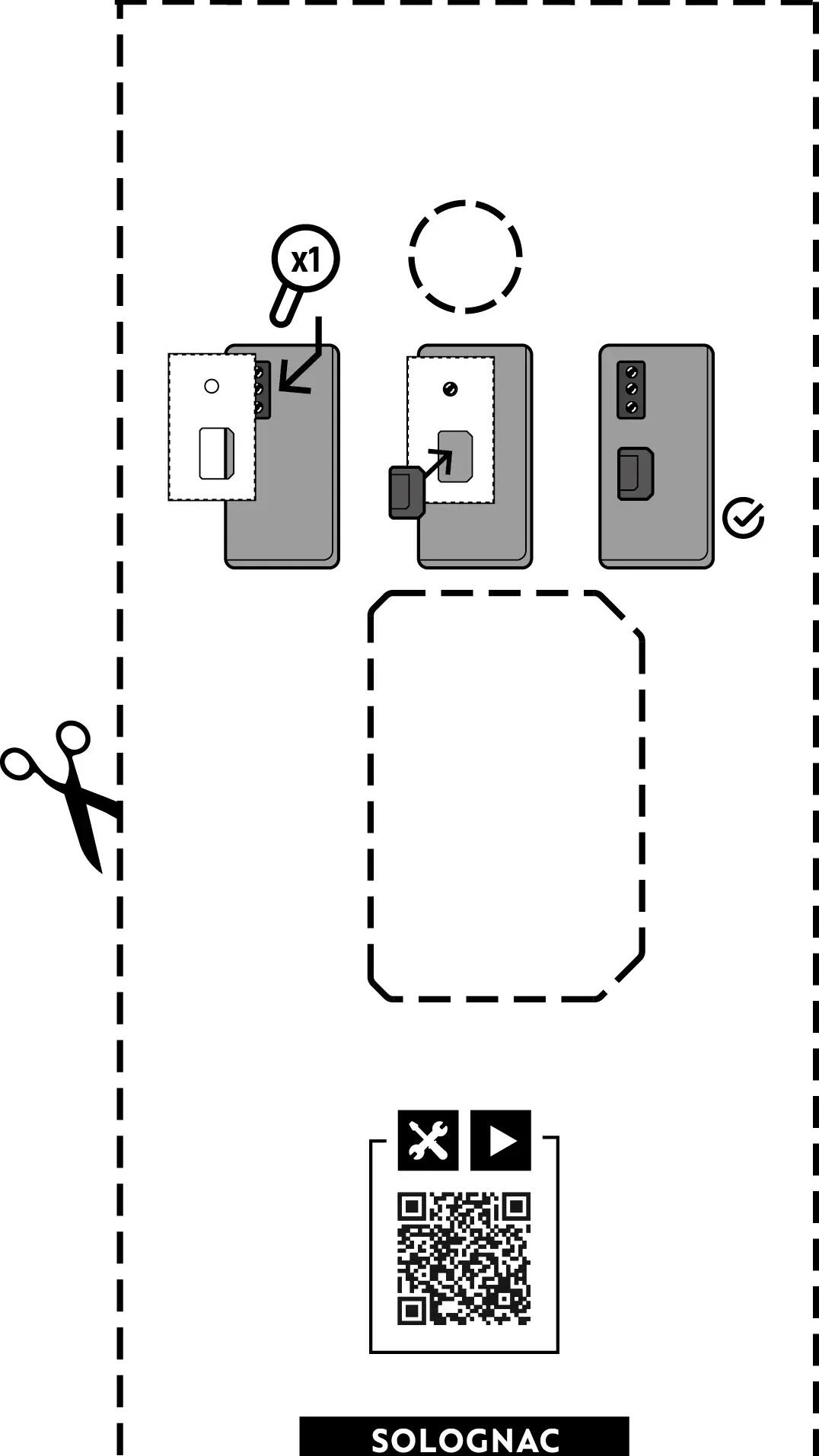
1/ Cut out the template on the box using a pair of scissors.
2/ Take your phone, open the "camera application" and select the smartphone’s x1 zoom.
3/ Degrease the surface where the plate will be installed with a cloth and a cleaning/degreasing agent.
4/ If your smartphone has 2, 3 or 4 lenses, cover them as you go along with your index finger. When your screen goes black, you have found the lens that lets you zoom in x1.
5/ Place the template on the back of the phone.
6/ Use the adhesive to stick the plate in the position shown on the template.
Caution: the plate can be adhered directly to the back of your phone or its case. However, avoid using silicone cases to attach: the adhesive may not hold up well over time.
7/ Take your binoculars and the 3 inserts in the box.
8/ Place one of the 3 inserts in the "adapter" and check that it fits the diameter of the eyecup of your binoculars (if you notice a little "play", try with one of the other 2 inserts); the insert must fit perfectly over the eyecup of the binoculars.
9/ Once you have found the right insert, clip the "adapter" into the plate: the assembly is now is fixed.
10/ To remove the adapter from your phone, press the trigger on the adapter and slide it upwards: you can then remove the plate.
Maintaining your telephone adapter for digiscoping is essential to extend its lifespan and keep it in good working order for your observations:
1/ In particular, avoid any build-up of dirt or dust by regularly wiping or blowing the plate and adapter with a cloth.
2/ Dry the components if they have been in contact with rain.
3/ Regularly check that the plate is firmly stuck to the back of the phone: if you notice any weaknesses in the adhesive, replace it.
Have you lost a part of the pack or changed your smartphone and run out of adhesive stickers? Our spare parts are here:
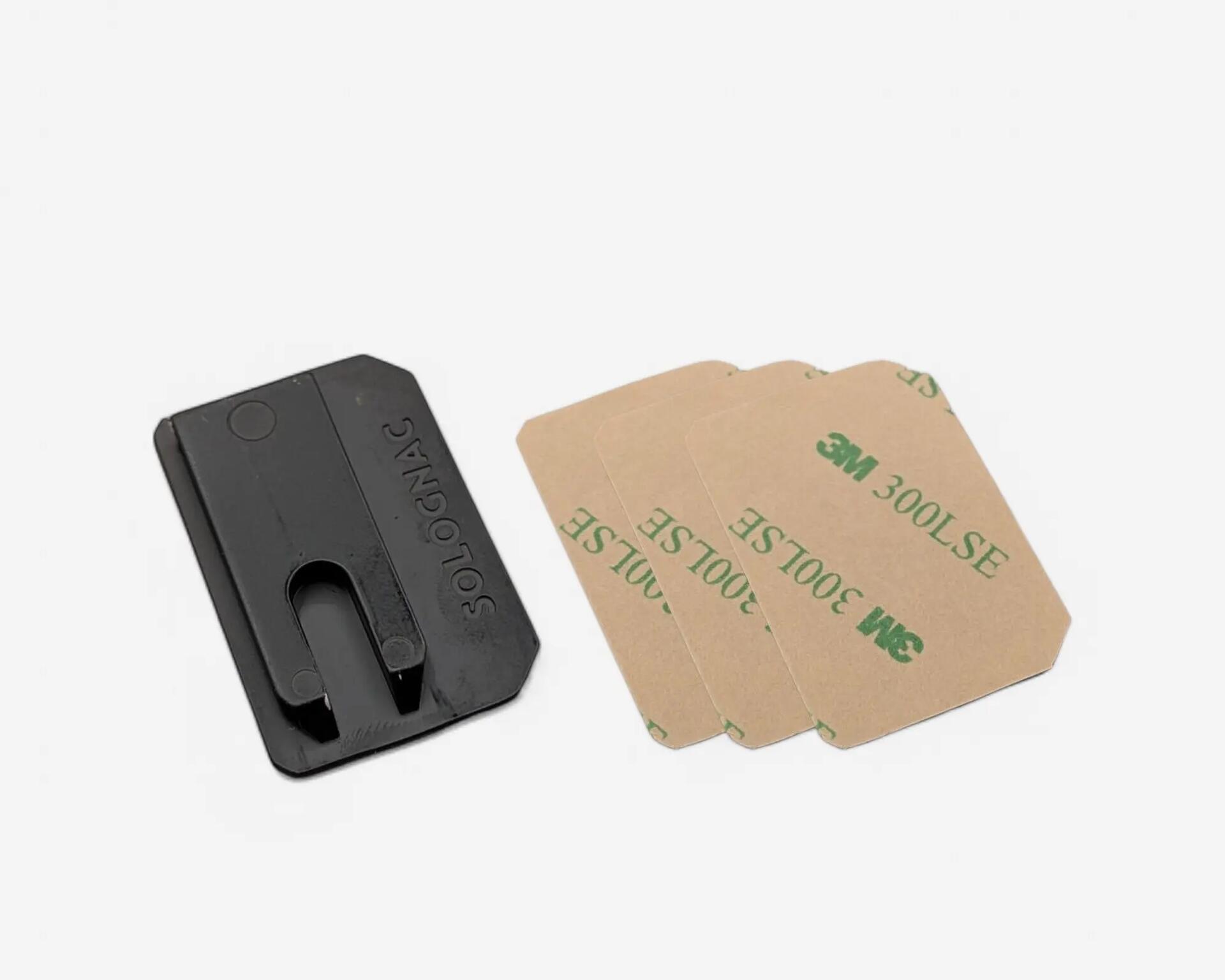
PACK CONTAINING THE PLATE + 3 STICKERS
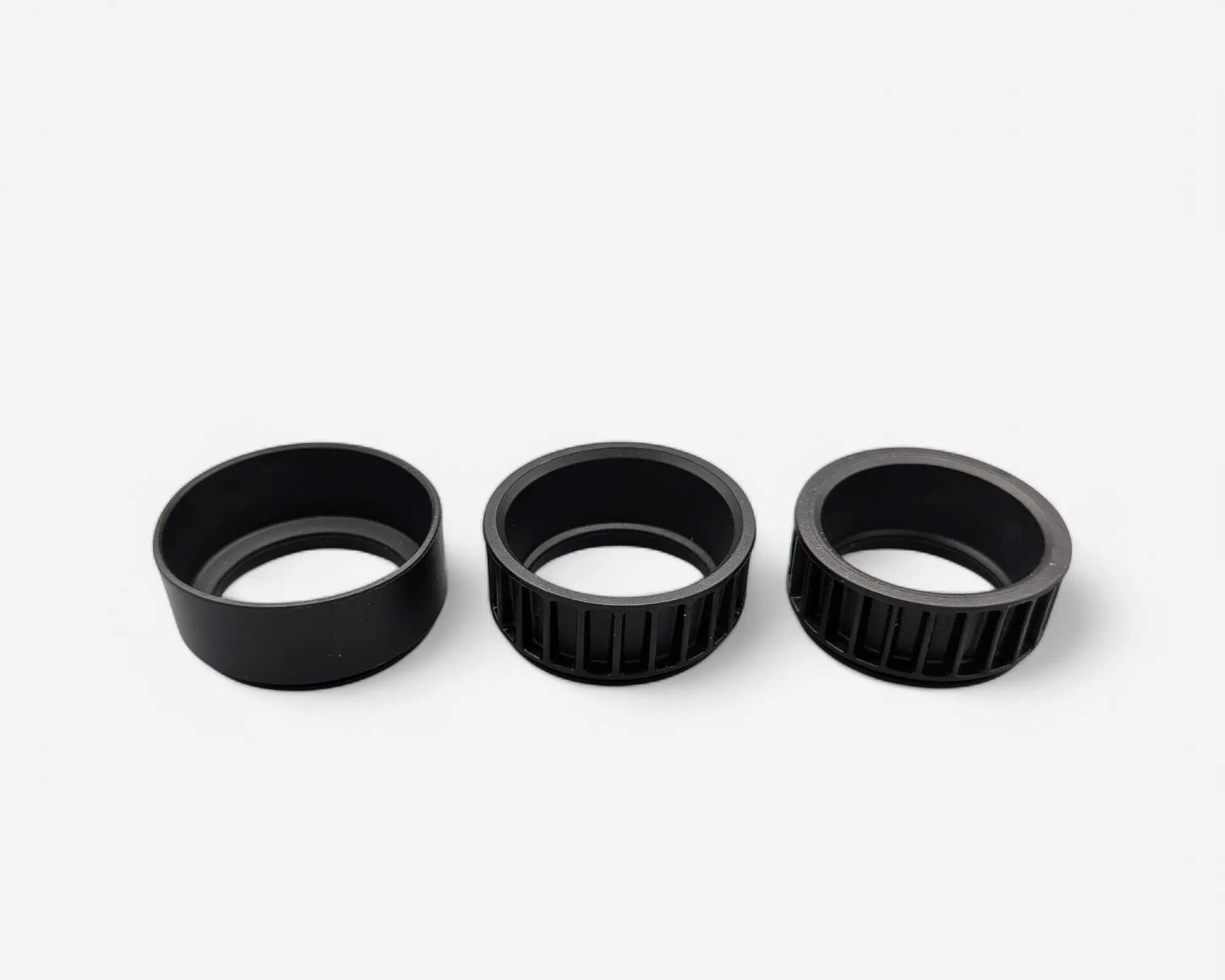
PACK OF 3 PVC INSERTS
Any questions, despite this data sheet? Contact us directly by e-mail at the following address: [email protected]
A member of staff will be on hand to answer all your questions.